
Download DotChat – Instant AI‑Powered Analytics for Shopify & E‑commerce
Introduction
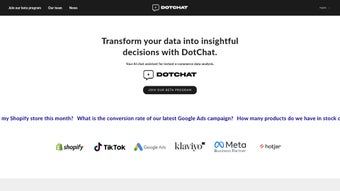
In the fast‑moving world of online retail, every second counts and data overload is a constant threat. Merchants need a tool that can turn raw sales numbers, ad spend, and visitor behavior into clear, actionable insights without demanding a Ph.D. in data science. DotChat answers that call with a sleek, AI‑driven platform built specifically for Shopify stores and Google Ads accounts.
By allowing users to type natural‑language questions such as “Which product generated the highest profit margin last quarter?” the software instantly generates charts, tables, or concise text summaries that are ready to share with a team or embed in a presentation. The solution is more than a query engine; it combines real‑time data sync, automated recommendations, and a secure cloud backbone that meets GDPR and CCPA standards. Whether you are a solo founder juggling inventory and ads, a marketing agency scaling dozens of stores, or an analyst looking for a rapid‑prototype environment, DotChat delivers fast answers, reduces reliance on spreadsheet gymnastics, and frees up valuable time for strategic work.
This review explores the core capabilities, installation experience, platform compatibility, and real‑world pros and cons so you can decide if DotChat is the right addition to your e‑commerce tech stack.
Key Features and What Makes DotChat Unique
- Natural‑Language Query Engine – Pose questions in plain English and receive instantly generated visualizations, numeric tables, or narrative summaries.
- Deep Shopify Integration – Pull orders, customer profiles, inventory levels, and revenue data directly from your Shopify admin without manual exports.
- Google Ads Sync – Merge ad spend, click‑through rates, and conversion metrics with sales data for a unified ROI view.
- Real‑Time Dashboard Refresh – Data streams update every five minutes, ensuring that every insight reflects the latest transaction.
- AI‑Powered Recommendations – Receive actionable suggestions such as optimal bid adjustments, product bundling ideas, and inventory restock alerts.
- Customizable Alert System – Define thresholds for revenue drops, high‑cost keywords, or low‑stock events and get push notifications on desktop or mobile.
- Multi‑User Access & Role‑Based Permissions – Grant team members view‑only or admin rights, preserving data security while encouraging collaboration.
- Beta Feedback Loop – Participate in a community‑driven roadmap where merchant suggestions directly influence upcoming features.
- Export & Embedding Options – Download reports as CSV or PDF, or embed live charts into external dashboards and slide decks.
- Secure Cloud Hosting – End‑to‑end TLS encryption in transit and AES‑256 encryption at rest, with full GDPR, CCPA, and SOC 2 compliance.
Installation, Setup, and Everyday Workflow
Step‑by‑Step Installation
Getting DotChat up and running is intentionally simple, allowing you to focus on insights rather than IT chores. Begin by visiting the official website and clicking the “Download for Windows” or “Download for macOS” button—both links trigger a secure HTTPS download. After the installer finishes, launch it and follow the guided wizard: accept the license, choose an installation folder, and optionally create a desktop shortcut.
The first launch prompts you to create a DotChat account using an email address or a single‑sign‑on (SSO) option such as Google Workspace. Once logged in, navigate to the “Integrations” tab. Here you will:
- Connect Shopify – Click “Add Shopify Store,” sign into your Shopify admin, and grant read‑only API permissions. DotChat never writes back to your product catalog.
- Link Google Ads – Authorize access to your Google Ads account; the platform reads campaign performance data but cannot create or edit ads.
- Set Sync Frequency – Choose a data refresh interval (5‑minute, hourly, or daily) based on transaction volume and bandwidth considerations.
- Configure Notification Preferences – Turn on email, in‑app, or mobile push alerts for critical KPI thresholds.
After these steps, the main dashboard appears, featuring a prominent search bar where you can start typing natural‑language queries.
Best Practices for Daily Use
To squeeze the most value from DotChat, adopt a routine that blends quick checks with deeper explorations. Each morning, open the “Top Alerts” panel to catch any sudden spikes in cost‑per‑click or dips in conversion rate. Use the “Scenario Builder” to model “what‑if” changes—such as a 10 % price increase on a best‑selling SKU—and instantly see projected revenue impacts.
Mid‑day, the “Keyword ROI Heatmap” helps you prioritize high‑performing search terms while flagging under‑performing ones for pause or bid adjustment. Before the close of business, run a “Weekly Insight Export” to generate a PDF summary that can be emailed to stakeholders who lack direct platform access. For larger teams, create shared “Insight Collections” that group related queries (e.g., “Holiday Campaign Performance”) and allow teammates to comment directly on visualizations.
By integrating these habits, DotChat becomes a living decision‑support system rather than an occasional reporting tool, enabling you to shift from reactive firefighting to proactive growth planning.
Compatibility, Pros, Cons, and Professional Review
DotChat offers a native desktop client for Windows 10/11 and macOS 11+, while a fully featured web version runs on Chrome, Edge, Safari, and Firefox on any device. The responsive design also powers companion apps for iOS and Android, delivering push alerts and on‑the‑go dashboard snapshots. Whether you prefer a dedicated workstation or a browser‑based workflow, the platform synchronizes your settings across all environments, ensuring a consistent experience.
Pros
- Natural‑language interface eliminates the need for complex query building.
- Deep, bidirectional integration with Shopify and Google Ads provides a single source of truth.
- AI‑driven recommendations shorten the learning curve for teams without dedicated analysts.
- Real‑time data sync keeps decisions based on the most recent transactions.
- Secure, GDPR‑ and CCPA‑compliant cloud architecture protects sensitive business data.
- Scalable pricing—from a free starter tier to enterprise plans—fits businesses of any size.
- Cross‑platform availability (desktop, web, mobile) ensures flexibility for remote teams.
- Beta feedback loop encourages user‑driven product evolution.
Cons
- Advanced statistical modeling (e.g., predictive regression) is limited compared with full‑scale BI suites.
- Custom query language beyond natural language is not yet supported, which may restrict power users.
- Initial data import for very large Shopify catalogs can take several minutes, affecting first‑time setup speed.
- The web version requires a stable internet connection; offline mode is currently unavailable.
- Frequent UI tweaks from the beta program may require brief re‑orientation for long‑term users.
Frequently Asked Questions and Final Verdict
Is DotChat free to use?
DotChat offers a free starter tier that includes basic natural‑language queries and limited data sync. Premium plans unlock advanced AI recommendations, multi‑store support, and higher refresh frequencies. Pricing is transparent on the website and billed monthly or annually.
Can I connect DotChat to platforms other than Shopify?
Native integrations currently exist for Shopify and Google Ads. However, DotChat supports CSV import, allowing you to bring data from other e‑commerce platforms such as WooCommerce or BigCommerce into the analysis engine.
How secure is my business data?
Data is encrypted both in transit (TLS 1.3) and at rest (AES‑256). DotChat complies with GDPR, CCPA, and SOC 2 standards, and you retain full ownership of your raw data, which is never sold to third parties.
Do I need a data analyst to set up DotChat?
No. The natural‑language interface is designed for non‑technical users. A simple account creation, Shopify connection, and a few configuration steps are all that’s required to start generating insights.
What kind of support does DotChat provide?
All paid subscribers receive 24/7 email support and access to a live chat portal. The community forum is open to free users, and the beta program offers direct communication with the product team for feature requests.
In conclusion, DotChat stands out as a purpose‑built analytics companion for Shopify merchants who crave speed, simplicity, and intelligent recommendations without the overhead of traditional BI tools. Its natural‑language query engine, tight ad‑platform integration, and secure cloud architecture make it a compelling choice for businesses aiming to translate raw sales data into profitable actions in real time. Whether you’re a solo store owner or a growing e‑commerce team, downloading DotChat today can give you the edge needed to optimize campaigns, sharpen inventory decisions, and ultimately boost your bottom line. Ready to turn data into dollars? Click the button below to download the free version and start your journey toward data‑driven growth.



.png)



